
Start with the organisation
Keep the customer identity, contacts and relationship context together.
CRM · CLIENT RECORDS
Give your team a dependable view of the relationship: who the customer is, what you have agreed, what you manage for them and what needs attention next.
CRM AT WORK
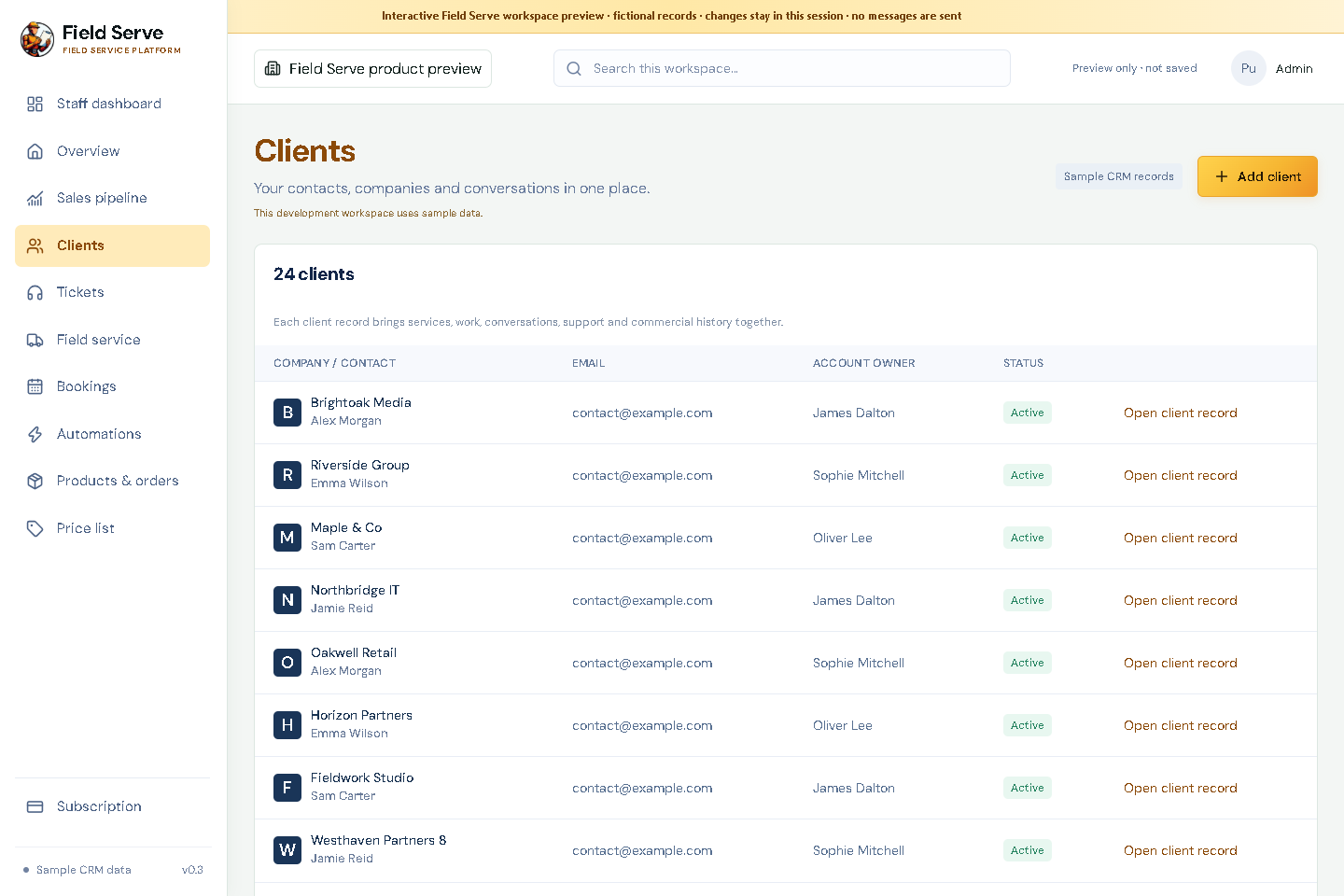
A client record should answer more than “who is the contact?”. Field Serve is designed to connect the people, commercial history and managed services your team needs to look after.
Keep the customer identity, contacts and relationship context together.
Link conversations, estimates, proposals, projects, bookings and service issues to the same customer.
Record VPS, domains, websites and other services so ownership and renewal context is visible.
Keep notes and activity with the account so a handover does not lose the story.
DESIGN THE RECORD AROUND YOUR DELIVERY
A record earns its place when someone can answer a colleague’s question without searching email, a spreadsheet and an old project folder.
Keep the company, decision makers, operational contacts and billing contacts distinct. Record each person’s role and the best route for a particular conversation so a new account owner knows who to approach.
List the managed items that matter to the account: VPS instances, domains, websites, hosting plans, renewal dates, ownership and support arrangements. Use the customer record as a pointer to accountable work, not as a place to expose credentials.
Keep leads, opportunities, quotes, estimates, proposals and accepted scope connected to the same organisation. Delivery can see what was offered; account staff can distinguish an open quote from agreed work.
Record calls, emails, meetings, bookings, decisions and next steps with their date and owner. A useful note says what happened, what was agreed and who follows up by when.
A PRACTICAL HANDOVER
Suppose a web agency wins a redesign and later manages the customer’s domain and VPS. The lead becomes an account; the accepted proposal becomes the project scope; the domain renewal and hosting are added as managed assets; later correspondence and bookings remain attached to the same customer. When the delivery lead is away, another team member can understand the history and the next commitment before replying.
This does not remove the need for a clear record owner. Decide which team maintains contact details, who can edit commercial and asset information, and which notes should be visible to the wider workspace. That discipline keeps the profile useful instead of turning it into an unfiltered document dump.
Agree field names, duplicate handling, account ownership and which asset details are safe to store. Import a small representative sample, check relationships and permissions, then bring across the remaining records.
CLIENT RECORD QUESTIONS
Yes. The account profile is intended to hold managed-service and digital-asset context such as service name, owner, renewal or review date, supplier and notes. Keep passwords, private keys and other secrets in an appropriate secure vault.
Keep one organisation record and add distinct contacts with their responsibilities and preferred contact details. That keeps project, commercial and service history associated with the company while preserving who said or approved what.
Workspace access depends on the role and assignment rules configured for the company. Confirm the role model and any sensitive-record restrictions during onboarding before importing real data.