
Schedule and assign the job
Set the appointment and assign an engineer in the service workflow.
FIELD SERVICE · CUSTOMER TRACKING
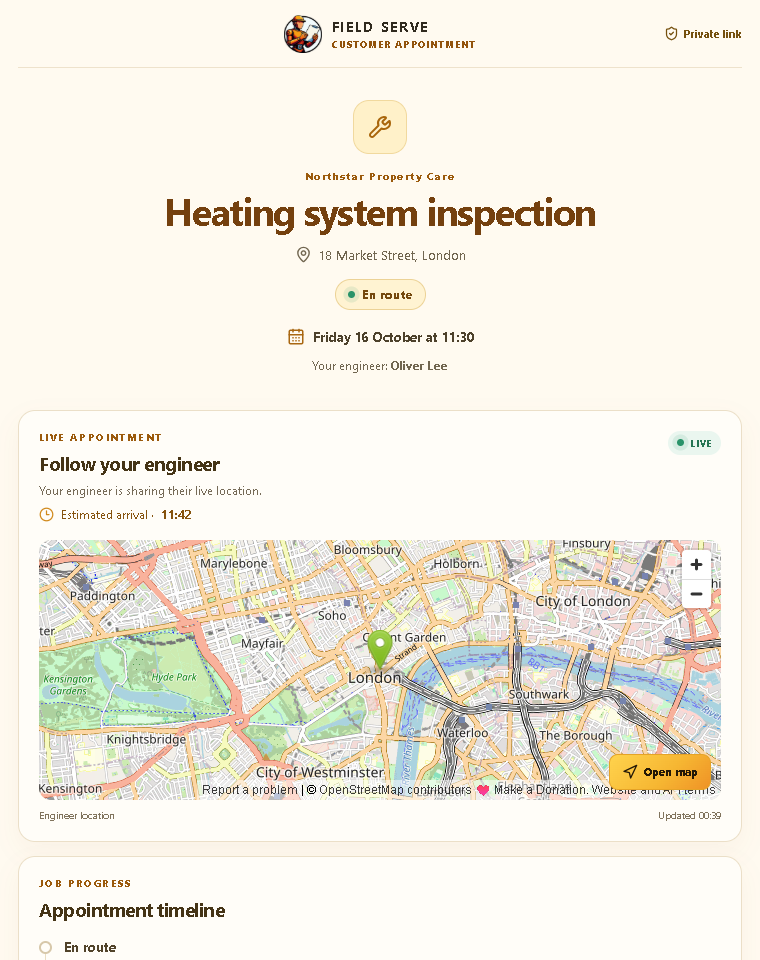
Give customers a clear view of their appointment, job status, updates and estimated arrival, with location sharing controlled by the engineer.
FIELD SERVICE AT WORK
Customers need a useful update, not a call to ask whether anyone is on the way. The tracking page is designed to share job progress and ETA. Live location is available only when an engineer enables sharing for the job.
Set the appointment and assign an engineer in the service workflow.
Give the customer a secure route to follow the job.
Show status changes and relevant service notes as the work advances.
Present an estimate and location only while the engineer has enabled location sharing.
THE CUSTOMER VIEW OF A SERVICE VISIT
A tracking page should answer four practical questions: what is booked, what is happening now, when should the engineer arrive and how can the customer prepare?
Show the date, arrival window, service address and a concise description of the visit. Make clear if the window is an estimate and provide a route for the customer to flag access or scheduling issues.
Use customer-friendly milestones such as scheduled, engineer on the way, working and completed. Publish only updates that help the recipient understand the visit; internal dispatch notes belong in the staff workflow.
Present arrival estimates as estimates. Traffic, parking, previous work and customer access can change the schedule, so provide an update path when the ETA changes.
Show location only when the engineer has enabled sharing for the active job and the company has explained the practice. Stop sharing when the visit ends or the engineer turns it off.
PLAN THE NOTIFICATIONS
Agree which events create a customer notification, which team member owns an exception and what the customer should do if they are unavailable. Use the minimum personal information needed to identify the appointment. A tracking link should be hard to guess, limited to the relevant job and disabled when the visit no longer needs customer access.
Test the entire journey from dispatch to completion using a sample job. Check that the page shows the latest status after a change, that a revised time is clear, that completed work does not continue to display a live map and that a customer can contact your team without seeing internal notes.
Set expectations in the customer copy: an ETA is an operational estimate, not a guaranteed arrival time. If the business offers guaranteed appointments, those commitments must be defined in its own service terms and scheduling process.
CUSTOMER TRACKING QUESTIONS
Location sharing is available only where it is configured and enabled for the job. Give engineers clear controls and tell customers what the map represents and when it will stop updating.
Check that the engineer update was saved to the work order and that the customer link is viewing the current job. Define an escalation route for missed updates and avoid promising real-time refresh until it has been verified in your deployment.
Keep customer-facing updates separate from internal service notes. Only publish information suitable for the intended customer and avoid exposing engineer contact details or other customers’ location data.