
Plan and dispatch
See assigned work, priorities, schedules and engineer availability in the CRM, then keep the job record current as plans change.
FIELD SERVICE, MADE PRACTICAL
Schedule jobs, give engineers a focused mobile workspace, and let customers follow progress without chasing your team.
See plans with field service ↗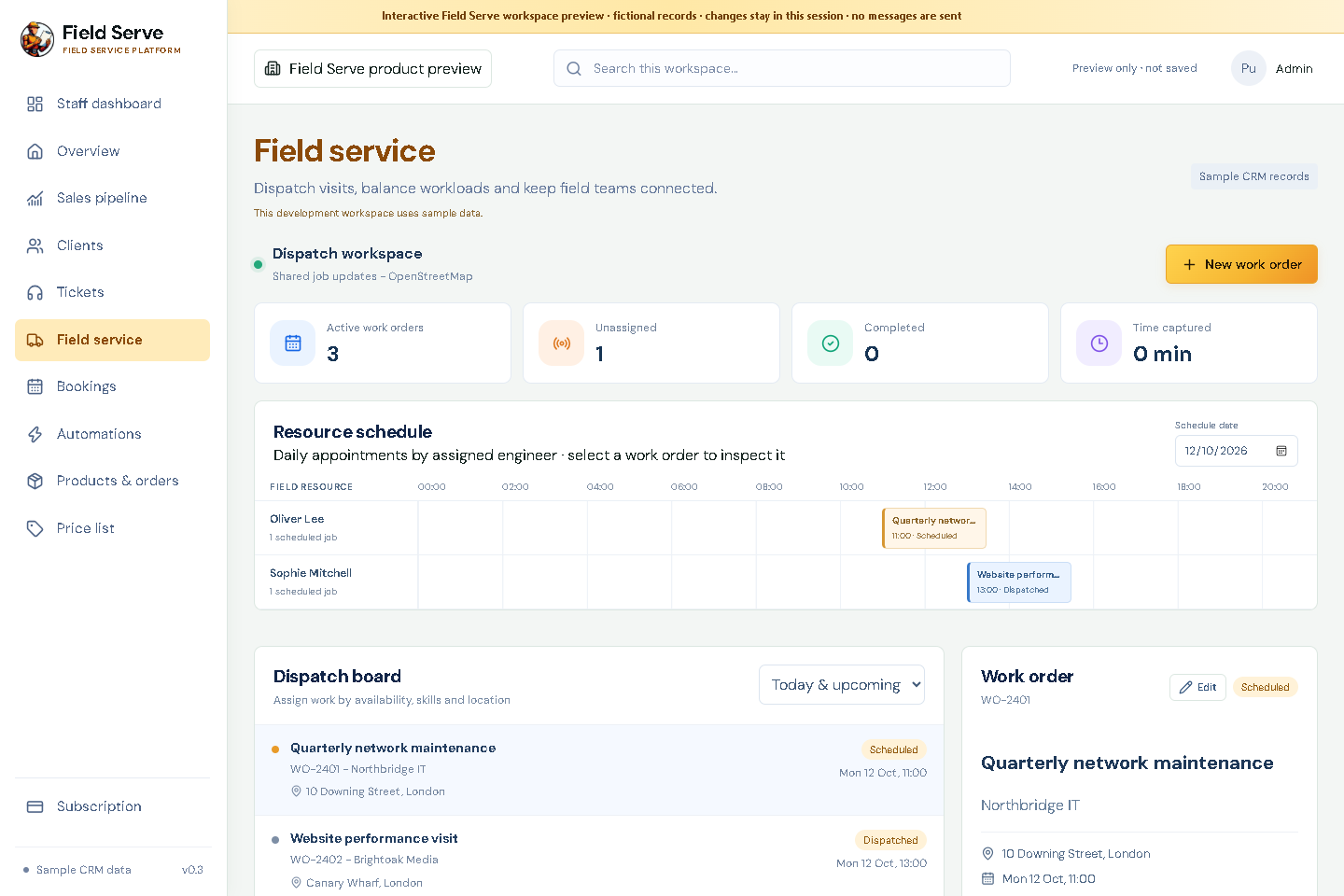
ONE JOB, THREE CONNECTED VIEWS
See assigned work, priorities, schedules and engineer availability in the CRM, then keep the job record current as plans change.
Engineers see their assigned jobs, site information, checklists and notes. Track work time and update job status from a mobile-friendly view.
Give clients a focused tracking page with job status, appointment details and updates. ETA and location sharing depend on engineer consent and available location data.
BUILT AROUND THE WORK
Jobs, customer updates, service assets, conversations and time entries stay connected to the account.
FIELD SERVICE WORKFLOWS
FIELD SERVICE · COMPLETE JOB LIFECYCLE
Field Service connects a planned visit to the customer record, the engineer’s assigned work and the updates the customer needs. Each view has a different purpose, while the work order carries the shared job context.
Confirm the client, service location, scope, access notes, required equipment, appointment window and expected duration. Link the job to a service asset or project where useful. Flag missing information before the visit is scheduled.
Review urgency, due date, engineer skills, location and availability before assigning the work. Use the map view to understand travel context and route planning; mapping availability and route quality depend on the configured OpenStreetMap-based provider and connectivity.
The mobile view shows assigned jobs, customer and site context, directions, checklists, notes and status controls. A job timer records working time against the work order. Agree how to correct missed starts or pauses before using time for billing.
Share appointment details and appropriate progress updates. An ETA is an estimate. Live location should only be available for an active job where the engineer has enabled sharing and the company has explained how it works.
Use that connected platform for ticket ownership, incident priority and SLA workflows. Field Serve work orders coordinate field delivery after onboarding agrees the handoff.